cwnews
A fast terminal Hacker News reader with threaded comment folding, score-coloured story lists, three themes, and AI-powered thread summarization via DeepSeek V4 Flash.
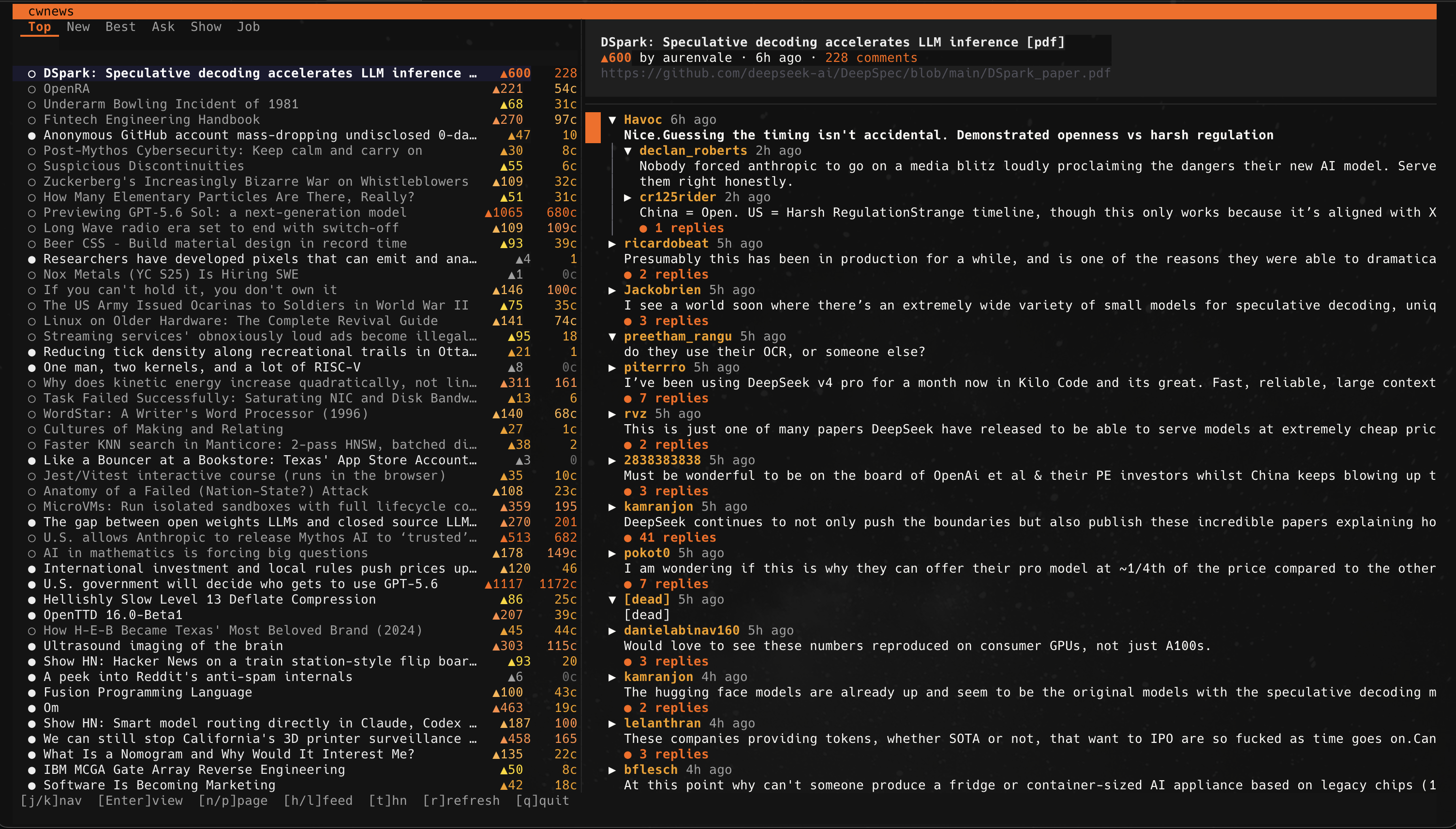
Built in Go on Bubbletea v2. Left panel browses stories across all six HN feeds (Top / New / Best / Ask / Show / Jobs) with pagination. Right panel renders nested comments with collapsible threads, coloured depth indent, and summary panel streaming live from DeepSeek.
Ask · Show · Jobs
Zinc cyan
streaming thread summary
What it is
cwnews is a full-screen Bubbletea TUI for reading Hacker News on the terminal. It fetches stories and comments from the official HN Firebase API, caches everything in SQLite for instant re-opening, and provides real-time AI summaries of comment threads with word-by-word streaming.
The left panel is a dense story browser: six feed tabs, pagination with
n/p, and score- and comment-count coloured
metadata. Titles truncate cleanly to fit. The right panel shows a
threaded comment view with collapsible nesting, coloured depth bars,
and a cursor that highlights the active comment in accent orange.
Press s on any thread and DeepSeek V4 Flash streams a
detailed summary — sentiment, key points, standout quotes, consensus
& debate — formatted with markdown headings, bullet points, and
italicized blockquotes. Summaries are cached in SQLite, so switching
back to a thread is instant. Language is configurable (Chinese or
English).
The three themes cycle with t: a dark HN-inspired palette
with orange accents, a classic cream-background HN look matching the
real website, and a cyan-accented zinc theme from cwmail's design
system.
Why it’s different
Enter or ← to collapse
any thread, → to expand, [/]
to fold by depth level, n/N to jump
between top-level comments. Vim-style j/k
navigation moves a highlighted cursor through the visible list.
s and the right panel switches to an AI summary
view. DeepSeek V4 Flash streams text word-by-word with a braille
spinner in the status bar. Summaries cover overall sentiment, key
points, standout comment quotes, consensus & debate breakdowns,
and meta-observations. All cached in SQLite — reopen any thread
and the summary appears instantly without another API call.
h/l or direct
1-6 keys. Each feed loads 50 stories per
page from the 500-item HN ID pool. n/p
paginates; the page indicator shows 1/17 in the tab
bar. Switching feeds resets to page one.
', <p>).
cwnews decodes all HTML entities and strips tags before rendering,
so you never see ' or raw <p>
markers in comment text.
~/.local/share/cwnews/cwnews.db.
Re-opening a previously viewed thread shows comments immediately
while a background refresh fetches any new replies. Cached summaries
mean the AI panel is instant on the second press of s.
What it looks like
Install
Download a pre-built binary from the
Google Drive release folder
(current build: v0.1; macOS arm64 / amd64 and Windows amd64). Drop it
somewhere on your PATH and make it executable:
# macOS
curl -L <download-url> -o ~/.local/bin/cwnews
chmod +x ~/.local/bin/cwnews

# Windows (PowerShell)
Invoke-WebRequest <download-url> -OutFile cwnews.exe
Create a config file at ./config.json or
~/.config/cwnews/config.json:
{
  "theme": "hn",
  "ai": {
    "api_key": "sk-...",
    "model": "deepseek-v4-flash",
    "summary_language": "zh"
  },
  "ui": {
    "sidebar_width_ratio": 0.40
  },
  "cache_ttl_minutes": 5
}
Set "summary_language" to "en" for
English summaries or "zh" for Chinese. The AI API key
is the same DeepSeek key used by cwcode and cwmail.
Run it.
cwnews
FAQ
s for a summary.t to cycle through three themes:
hn (dark, orange accents), hn-classic
(cream background, matches real HN), and zinc
(cyan-accented dark). The active theme shows in the footer.j/k to
navigate, g/G for top/bottom,
d/u for half-page scroll,
h/l to switch feeds,
Enter to open a story and focus comments,
Tab to switch between panels, q to quit.
The footer bar in each view shows the context-relevant keys.